Features
- Wi-Fi 6 certifiable
- It provides three radios, 5 GHz (4×4), 2.4 GHz (4×4) and BLE with OFDMA and MU-MIMO.
- Multigigabit support.
- Available with the optional inbuilt wireless controller.
- Two 1 Gigabit Ethernet (GE) ports support Power over Ethernet (PoE) to ease installation and minimize expenses.
- Dual-band 2.4 and 5 GHz operating.
- Standard PoE (Power over Ethernet) compatibility allows simple deployment without substantial wiring.
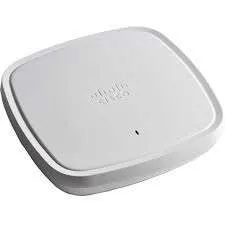
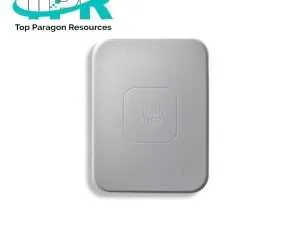
Specifications of Cisco C9115AXI-R
| Product Code |
C9115AXI-R |
| Type |
Wireless Access Points |
| Price |
$415.00 |
| Frequency Band |
2.40 Hz, 5 Hz |
| Ethernet Technology |
2.5 Gigabit Ethernet |
| Antenna Form Factor |
Internal |
| Bluetooth Standard |
Bluetooth 5.0 |
| Wireless LAN Standard |
802.11ax |
| Data Transmission Speed |
5.38 Gbit/s |
| Dimensions (H x W x D) |
1.5 x 8 x 8 Inc. |
Applications
- Enterprise Environment
- Corporate Area
- Networking Firms
- Data Centers
- Hybrid and Remote Area
How Fast is the Cisco RV110W?
The high speed of a Cisco RV110W 802.11n wireless access point is 10/100 Mbps.
How to Get a Cisco Access Point IP Address?
Open the utility Window, type the AP MAC address, then click Get IP Address. Write the IP Address that exists in the IP Address field. Browse to the AP’s browser-based management pages, open the browser, paste the AP’s IP address in the browser location, press enter, and the screen will show the address.
What Does a Wireless Access Controller Do?
A WLAN controller maintains wireless network access points, which link wireless devices to the network.
How Do Wireless Controllers Connect?
Turn on Bluetooth on your device and choose your controller from the list of Bluetooth devices.












Reviews
There are no reviews yet.