The Prices on the website is old and fluctuated as per dollar situations please fill the form in contact us to get new Prices for the Products! | The Prices on the website is old and fluctuated as per dollar situations please fill the form in contact us to get new Prices for the Products!

Blogs

Subscribe to Get Latest News

About Top Paragon Resource.Com

We are committed to providing top-quality products, including switches, routers, transceivers, and wireless access points. For Top Paragon Resource, customers’ problems are our concern, and we fix them with the best products and services in the industry.

Value The Quality, Not Quantity. Here at Top Paragon Resources, we believe in building the best customer relationships by providing the best customer service and products.

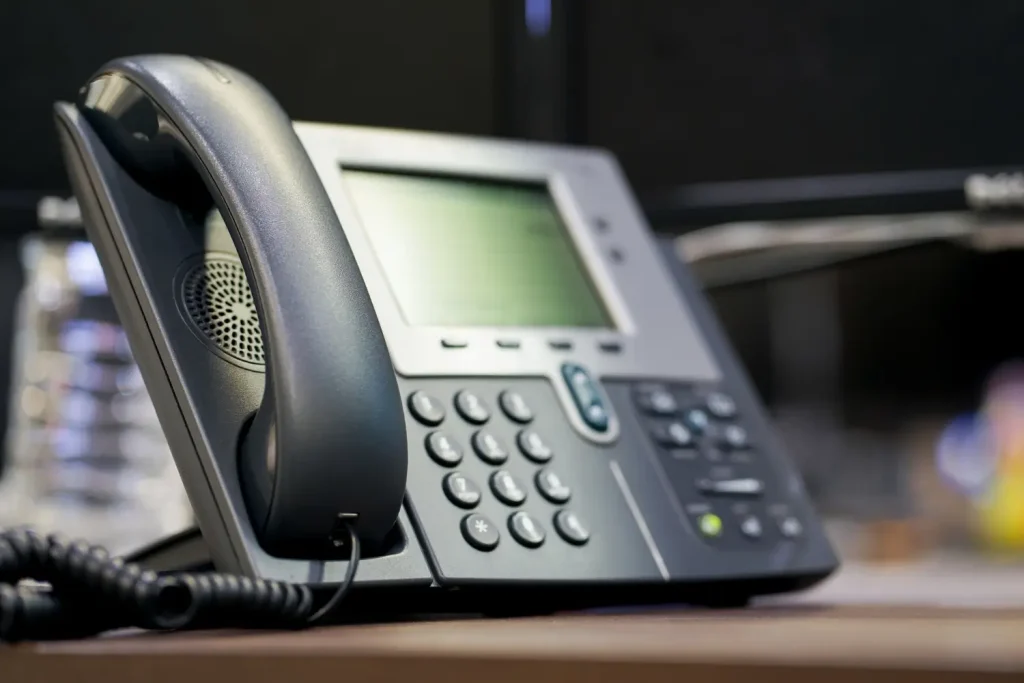
Spa 504 Jive Provisioning phone using Jive involve different steps to configure the phone to work with a VoIP system. Here’s a general overview of how to provision a Cisco SPA 504G with Jive:

Steps for Spa 504 Jive Provisioning with Jive

  1. Connect the Phone to the Network
    • Plug the SPA 504G phone into the network with an Ethernet cable.
    • Make sure it is powered on, either through an Ethernet port with Power over Ethernet (PoE) or via a power adapter.
  2. Obtain the Phone’s IP Address
    • On the SPA 504G, press the Settings button (it looks like a folded paper icon).
    • Scroll down to Network, Choose it, and note the phone’s IP address.
  3. Access the Web Interface
    • Open a web browser on a computer connected to the same network as the phone.
    • Enter the phone’s IP address in the browser’s address bar
  4. Login to the Web Interface
    • Default username: admin
    • Default password: admin (If these credentials don’t work, check if the service provider has changed them.)
  5. Factory Reset the Phone (if necessary)
    • If the phone was already configured, perform a factory reset.
    • Navigate to Administration > Factory Reset in the web interface.
    • These make sure no already configurations interfere with the new setup.
  6. Obtain Provisioning URL from Jive (Go To Connect)
    • Log into the Jive/Go to Connect admin portal.
    • Go to Devices and locate the Provisioning URL for your device.
    • Copy the sip setting for jive provisioning spa504g URL.
  7. Configure Provisioning on the SPA 504G
    • In the phone’s web interface, go to Provisioning or Profile Rule.
    • Enter the Provisioning URL offered by Jive/ Go To Connect.
  8. Restart the Phone
    • After entering the provisioning URL, restart the phone.
    • The phone will automatically download its configuration from the Jive system.
  9. Verify Successful Provisioning
    • Once the phone reboots, it should register with Jive’s servers.
    • Check if the phone is able to make and receive calls.
    • You can verify registration via the Jive admin portal or by checking the phone’s status on the display.
  10. Test the Phone
    • Make a test call to make sure everything is working as expected.
    • Check voicemail, call transfer, and other features to confirm proper setup.

Please Visit for Networking Equipment

To provision a Cisco SPA504G phone with Jive, you can use the Web UI to:
  1. Find the phone’s IP address:
    • Press Menu > 9: Network on the phone
  2. On a computer on the same network as the phone, enter the phone’s IP address
  3. Click Admin Login > advanced
  4. Enter your Device Admin Password
  5. Click Submit All Changes
  6. The phone should reset
  7. Manually reboot the phone again
  8. Wait 30 seconds

Considering network cabling, users always have a range of options. Furthermore, people want a cable with a low price and great performance. This page covers three copper cable choices: cat5 vs cat5e vs cat6. After reading this, you will learn a lot more about these wire specs and have a better idea of what you want to use in your network. Cat5, Cat5e, and Cat6 cables are used to connect devices via Ethernet. “Cat” stands for “Category” in this case. At the moment, Cat6 is the most modern Ethernet cable available. However, each of these basic cables can work with earlier Ethernet cabling technology.

Cat5 vs Cat5e vs Cat6 Cables

Overview

Most companies need Ethernet connections with a high bandwidth speed, given the growing demand for capacity in our digital era.

For all these reasons, we recommend utilizing Cat6 cables instead of Cat5 cables, as they delay less and cost less.

Cat 5e, 5

Category 5 enhanced cable has the same specs as standard CAT 5 cable but can send data at speeds up to 1000Mbps (1Gb/s).

It works with Gigabit Ethernet and is less likely to experience near-end cross talk (Next), which is interference between two pairs in a cable measured at the same end of the cable as the emitter causing the interference. Usually, crossed or crushed wire pairs cause future issues.

  • Current technology (enhanced)
  • Less sensitive to EMI, electromagnetic interference
  • Reduced Next, near-end cross-talk
  • Data transfer up to 1000 Mbit/s (1Gb/s)
  • Rated for 1000-BaseT
  • It comes in solid or stranded

Category 6 Cable

Category 6 cable, or CAT6, is a more advanced version of the cables mentioned above; it works better than the previous ones.

A longitudinal separator keeps each of the four sets of copper wires that make up CAT6 from touching each other. The separator reduces crosstalk, speeds up data flow, and gives Cat5 twice its bandwidth.

CAT6 can work up to 250Mhz (250 million cycles per second) and supports Gigabit Ethernet. Compatible because the CAT6 can support existing CAT5 and CAT5e cabling. CAT 5 is rated for 1000BASE-T.

  • Advanced current technology
  • Less sensitive to EMI, electromagnetic interference
  • Reduced Next, near-end cross-talk
  • Data transfer up to 1000 Mbit/s (1Gb/s)
  • Supports Gigabit Ethernet
  • It comes in solid or stranded

Cat5 vs Cat5e vs Cat6 Cables

The main difference between Cat5e and Cat6 cables is how well they transmit data, which affects the wire’s total bandwidth and how far it can transmit data.

Cat5 (Category 5)

  • Bandwidth: 100 Mbps
  • Transmission distance: 100 meters
  • Purpose: Primarily used for older Ethernet networks

Cat5e (Category 5 Enhanced)

  • Bandwidth: 1000 Mbps (Gigabit Ethernet)
  • Transmission distance: 100 meters
  • Purpose: More commonly used today due to its ability to support Gigabit Ethernet

Cat6 (Category 6)

  • Bandwidth: 1000 Mbps (Gigabit Ethernet)
  • Transmission distance: 100 meters
  • Purpose: Designed for high-performance networks, often used in data centers and commercial settings.

Major Differences Between Cat5 vs Cat5e vs Cat6

  • Bandwidth: Comparatively to Cat5 (100 Mbps), Cat5e and Cat6 have better bandwidth (1000 Mbps).
  • Blocking: Cat6 usually has better blocking to lower noise and interference so that it can be used in places with a lot of electromagnetic interference.
  • Future-proofing: Cat6 is more future-proof than Cat5e because it can handle higher data rates, which could work with new network standards in the future.

In other words, a Cat5e cable can only support the 1000BASE-T/TX standard, while a Cat6 cable can support the much faster 10GBASE-T standard.

Simply because the cable’s physical technology is so much more advanced, Cat6 is really 10 times faster than Cat5e.

Remember, too, that a Cat6 network is completely in line with Cat5e devices.

Will Cat6 Cables Replace Cat5e?

Analysts at Cabling Solutions already think that Cat6 will completely replace Cat5e when new cables are put in.

The Cat6 standard is already used in 90% of all fresh cable installations.

Cat6 is fully compatible with Cat5e and even Cat3 standards, so these new cords will not reduce compatibility.

To wrap Up

However, the comparison of Cat5 vs. Cat5e vs. Cat6 is mentioned above, and here are some key points you should need to consider. Cat5 is an older standard. Home and small business networks most often use Cat5e. For high-performance networks meant for coming years, Cat6 is the best option.

A high quality table microphone, Cisco CS-MIC-TABLE-J is very reliable and easy to use for delivering sound loudly and clearly. The 3.5mm plug makes it easy to connect to a variety of communication setups hence making this microphone very versatile. High sound quality and integration into professional audio systems are some of the cases where this equipment would be most useful. If you’re interested in technology or networking, you have probably already encountered the Cisco CS-MIC-TABLE-J=. Staying up to date with their best posts and reviews is something that every individual should do during 2024 as it goes on.  This guide has all the best posts so far in 2024, regardless of whether one is planning an upgrade or just wants to know about some recent trends.

Why 2024 matters to Cisco posts – Trends in Cisco Technology

Several new trends have emerged from Cisco in the year 2024, marking this year as a landmark one for the company. Hybrid work solutions have taken centre stage, artificial-intelligence driven enhancements are coming up, and user interface design is becoming more intuitive. These trends reflect how we communicate and collaborate in the changing world today.

Impact of Recent Innovations

This year, Cisco has been rolling out various innovations that are directly impacting CS-MIC-TABLE-J=. Enhanced noise cancellation, improved audio clarity, and integration with advanced AI tools are just a few examples of these innovations that cause ripples in the communication sector.

Comparisons with Previous Models

The sound quality and compatibility with previous models show a remarkable speedy growth, as shown by this comparison. It provides customers with insights into where this device stands within Cisco’s range of products as well as what makes it different from others.

Diverse Opinions on Functionality in 2024

Various blog articles published in 2024 show the Cisco CS-MIC-TABLE-J as the summary of great audio performance. Users noticed that no matter what else was going on, this mic still heard everything loud and clear. For this reason, numerous IT experts indicated that they could communicate better while attending virtual meetings thanks to it.

A Detailed Overview of the Cisco CS-MIC-TABLE-J= Posts of 2024

Post 1: A Complete Assessment – Main Points of Interest

In this article, the author evaluates the CS-MIC-TABLE-J’s performance by providing precise details. It includes aspects such as simple installation processes and sound clarity, which help in understanding how the device works in everyday life.

Feedback from Users

Customers have pointed out that they like CS-MIC-TABLE-J because of its clear instructions and dependability. Most reviews emphasize its use in large meeting rooms where it picks up people’s voices without alteration even when they are sitting far apart on a table.

Post 2: Expert Analysis – Detailed Insights

Experts provided their insights into CS-MIC-TABLE-J’s characteristics and performance. This article discusses deep technicalities, comparing it to earlier models and explaining on its merits.


Polar Pattern Omnidirectional
Sound Field Mono
Windscreen None
Element Type Condenser
Form Factor Boundary/Surface Mount

Easy Setup and Installation

One of 2024’s leading posts noted how easy it is to set up Cisco CS-MIC-TABLE-J=. The installation procedure is simple, enabling quick entry into start-up mode. IT teams applauded how fast they were able to include this product into already existing arrangements.

Durability and Design

A later post lauded the strength of the microphone’s construction. The Cisco CS-MIC-TABLE-J It is very well made with excellent materials. IT professionals, noted the flexible build which is guaranteed to last you a long-time.

Support for Cisco Devices

This microphone would also work with other Cisco gear, according to a few posts. It plays nicely with Cisco Webex Room Kits, an ideal conferencing room combo. This was a huge plus for IT professionals, which made sure that the audio experience on every device was uniform.

Audio Clarity and Range

One of 2024’s best posts was about how clear this microphone sounds and reaches out. For one, it is an omnidirectional microphone with a wide pick up range that can easily cover most large conference tables by itself. The ability to hear voices coming from any direction impressed its users.

CTA(Add CTA representing the visual representation of audio louder beep and also range of up and down)

Advanced Features

In a few posts the advanced capabilities of Cisco CS-MIC-TABLE-J= are discussed. It comes with noise reduction and echo cancellation for crystal clear communication. Here are a few features that differentiate this from other table mics you might be considering in 2024.

Choosing the Best Cisco CS-MIC-TABLE-J Post for You

Factors to Consider

When deciding which post to read, consider what information you need. Broad overview or detailed technical analyses or practical usage examples? Your needs will guide which post will be most beneficial.

Your specific Needs

Choice should reflect your particular requirements. If you work in IT, an expert study might be best for you, but for end users, a post about real applications might be more useful.

Consideration of Budget

In 2024, many users found the Cisco CS-MIC-TABLE-J= to be a good value for the price. A further source said that compared to other mics, it has features that are very good for the price. IT workers, especially those who work for businesses on a budget, said it was a good deal.

Underneath the Surface: Contemplating the Most Important Posts – Similarities and Differences

When you compare the best pieces, it’s clear that each one has its own benefits. You can get a general idea of a lot from a broad report, but with an expert analysis, the details become clear. Printed work that has real uses shows life in general, so each point may be useful for you based on your own needs.

Performance Analysis

By looking at how well the CS-MIC-TABLE-J has done in these posts, we can figure out a number of things. This will help you decide if you want to add this item to your setting or not.

Conclusion

All in all, throughout 2024, Cisco CS-MIC-TABLE-J= has been highly regarded by users. It works great as always and is reliable enough to use in boardrooms and other meeting places where someone needs a system that makes sounds louder than ever for this price. This voice recorder is always the best choice for businesses and IT managers who want a good one that doesn’t make their work harder.

FAQ’s

What makes the Cisco CS-MIC-TABLE-J stand out from other microphones?

The Cisco CS-MIC-TABLE-J is different from competing microphones in several ways. That’s what makes the Cisco CS-MIC-TABLE-J different from other microphones: it sounds better, is more durable, and works properly with all Cisco devices.

What happens when you conduct a conference in a big conference room using Cisco CS-MIC-TABLE-J?

Because of this feature, you can hear every word being said at the table, no matter how far away you are. This is because the microphone has a very wide pickup range and good noise reduction.

Does CS-MIC-TABLE-J have any major developments for 2024?

Indeed! Cisco is always working to stay on the cutting edge of technology. Better noise canceling technology, louder music (voices), and more advanced AI tools are all part of the most recent changes.

The CS-MIC-TABLE-J’s viable implementations, what variety of posts should I consume?

There are posts with real-life cases that show how CS-MIC-TABLE-J helps people from different places work together and talk to each other.

How can I tell what Cisco CS-MIC-TABLE-J= post would suit me best?

Check to see what kind of information you need. For example, do you want a broad overview, a detailed scientific analysis, or examples from real life? Then compare your requirements with the topics of each post to determine the best fit.

When you choose your networking equipment consider various things in order to achieve optimum performance and ensure that your network will function well in the future.  The choice of networking tools is very important. The router, including a cable modem, Ethernet cables, and so on, all form the link. A leading name in networking is Cisco, which has been making high quality tools for constructing and maintaining networks. Ethernet cables are required to function as a network. The difference between Cisco Ethernet links and other options is that they are developed based on quality and performance. They work best when combined with the right Networking tools. This guide will discuss what makes good networking equipment for Cisco Ethernet cables to maximize your network settings.

Why Networking Equipment Matters?

Network hardware equipment ensures that data moves quickly and smoothly between devices. It keeps your network strong and stable. Your network can be slow, unreliable, or insecure without the right equipment. That’s why it is very crucial to choose gear carefully.

What Is A Cisco Ethernet Cable?

Cisco Ethernet cables that are constructed well ensure data transportation at a high speed with no interruptions. All the Cat5e, Cat6, Cat6a and Cat7 lines have different bandwidths and speeds. All types of business organizations love using Cisco Ethernet lines because they last long, provide reliable services, and perform better than others.

Why Choose Cisco Ethernet Cables?

They make sure that their Cisco Ethernet cables are very dependable as well as efficient in their performance. They have good shielding, low signal degradation and fast data transfer rates, which leads to a stable network that ensures efficient data sharing. With Cisco Ethernet connections your network can handle lots of data as well as adapt to new technologies.

Top Networking Equipment for Cisco Ethernet Cables

Now that you know why Cisco Ethernet wires are an excellent choice, let’s look at the best networking gear that will work best with them.

Network Switches

A vital part of networking is swapping devices network switches; hence, knowing your best picks from Cisco switches that go well with its Ethernet cable:

Routers

Routers direct data between networks, allowing for effective communication between them. Here’s a look at two prominent Cisco router series:

Access Points

Access points are essential for providing wireless connectivity within a network. Here’s a look at the Cisco access points that work well with Ethernet cables:

Cisco Aironet Series

A number of Cisco Aironet Series, wireless access points make fast and reliable wireless contact possible. They work perfectly with Cisco Ethernet lines to make both wired and wireless networks run faster.

Cisco Meraki Series

Cisco Meraki Series features cloud-managed access points that can offer many uses and are simple to keep up. With modern networks, these access points perform well and they are straightforward to connect with Cisco Ethernet cables.

Network Adapters

You will need network adapters to enable devices to connect to a network. An example of some of the best Cisco Network Adapter that can work well with Ethernet cables is shown below:

Cisco 10-Gigabit Ethernet Adapters

High-speed data transfer is what many people like about Cisco 10-Gigabit Ethernet adapters. Fast networks, processor-intensive applications, and huge volumes of information make their design exceptional. They thus connect effortlessly and eliminate any congestion issues in high performance links.

Cisco Gigabit Ethernet Adapters

Cisco Gigabit Ethernet adapters provide stable and rapid links for a variety of devices. In typical network settings, they make contact with Cisco Ethernet cables stable and quick.

Choosing the Right Equipment for Your Needs

When you choose your networking equipment consider various things in order to achieve optimum performance and ensure that your network will function well in the future. Here are some key points to help you make the best choice:

Assess Your Network Requirements

Find out how many devices are on your network, how fast it is, and what applications it needs. This will help you get the right tools for the job and make sure they work well.

Budget and Cost Considerations

Investing money into quality equipment remains essential, but you must also consider your budget. Check the various prices and features for different types of equipment, and choose the best one according to your demands at the lowest price.

Conclusion

For a strong network, pick networking equipment that works with Cisco Ethernet cables. Routers, switches, access points and Ethernet devices are produced by Cisco. When buying tools to improve performance it is essential that one understands what the system requires, considers possible future expansions, and remains within budget.

FAQs

What different Cisco Ethernet cable types are there?

Different Cisco Ethernet cables include Cat5e, Cat6, Cat6a and Cat7. Their speed scores and bandwidth capacities are different, which lets them do different networking tasks.

How do I pick the most suitable Cisco network switch?

The number of devices, network size and performance needs are to be considered. Cisco Nexus Series is preferable for larger businesses; on the other hand, the Catalyst Series is best used by smaller and medium-sized companies.

 Can Cisco made Ethernet cables be used with devices made by other companies?

Definitely, provided that such other devices follow the Ethernet principles just like Cisco Ethernet cables do.

The journey to networking is well-known to all those who live in a technology-oriented society like ours. Probably, you have come here because you want to boost your internet speed or simply begin by using Lightron SFP modules. But what in the world is an SFP transceiver? And why would someone bother with Lightron?

So, in this guide, we will discuss why it is necessary to choose its components and how it works. We will also consider the installation guide. Stay on to learn more!

What is an SFP Transceiver?

The SFP transceiver (small factor plug-in) is a small, plug-in device that can be replaced during operation. It is used in networking equipment to transmit and receive data signals. You can see it like the bridge that connects your network switch with fiber optic cables or copper wires, which build up the core of your network.

Why Choose Lightron for SFP Transceivers?

Lightron SFP is one of the best known industry actors. They specialize in SFP transceivers that are top-notch quality and trustworthy. Their goods offer notable advantages such as reliability, endurance, and support for all the standards one can think of. Be it new networks or an update of existing ones, lightron will always have a job designed exactly for you.

Basics of SFP

An SFP transceiver is composed of parts and works in a certain way that should be understood before commencing installation.

Components of an SFP Transceiver

SFP transceivers contain many essential components, including transmitter, receiver and module housing them. The transmitter is responsible for transforming electrical waves into light waves that travel down fiber optic lines. While the receiver captures light signals from different light sources and converts them into their electrical forms again.

Specifications of SFP


Form Factor Single Strand, Bidi SFP + Transceiver
Cable Type  Bidi, Single Strand
Cable Distance  10KM
Model Number  WSPXG-HS3LCC-IEA
Wavelength 1330 Tx/1270 Rx
Speed 10 Gbps

How SFP Transceivers Work?

Data travels along networks in the form of electrical signals. For long-distance transmission via fiber optic cables, these signals must be converted into optical ones. The SFP transceiver is employed to achieve such conversion without loss of concentration and enable a high-speed transfer rate.

Choosing the Right Lightron SFP Transceiver

The right SFP transceiver is essential for obtaining optimum network performance. Below are tips on selecting one that fits your needs.

Types of Lightron SFP Transceivers

Lightron has a variety of SFP transceivers that meet various needs.

Comparison between Single-Mode and Multi-Mode

Although multi-mode SFPs are intended for shorter distances employing multiple fiber strands, single-mode SFP transceivers are intended to enable long-distance communication via only one fiber strand. When choosing between the two, it is essential to consider the distance that your network can reach.

From Gigabit To 10-Gigabit

Another difference among the SFP transceivers is speed. For instance, Gigabit transceivers receive and transmit signals with a speed of up to 1 Gbps, while 10 gigabit ones can handle such operations at 10 gigabits per second (ten times quicker). Hence, it entirely relies on how much your network should be able to manage.

Considerations Of Compatibility

Select an Lightron SFP transponder that works with your network devices is very crucial. You should check the specifications of your device to see if it will integrate well with your switch or router.

Process of Installation

Even though it may seem boring, installing an SFP transceiver is not hard at all. In case you need, there are detailed instructions that you can follow here:

Preparing Your Equipment

First, make sure that your networking devices are turned off. As a result, there will be no harm in the installation process.

Directed Procedure for Installation – Placing the SFP Transceiver

Locate the SFP slot on your switch or router. Carefully push the transceiver into the slot until you hear a click sound. This piece of advice is very relevant because if any force is applied, it might destroy both the transceiver and the machine itself.

Verifying the Connection

After installing the transceiver, turn on your device and confirm a working connection. Be sure to identify that the transceiver recognizes and that information is traveling as it is supposed to.

Troubleshooting Common Issues

Having done careful installation, you may experience some issues. Here are some guidelines on resolving usual issues.

Connection Problems

If you have connection issues, check the installation and connection of the transceiver. Check and ensure that all cables are plugged in properly without damage.

Signal Quality Issues

When it comes to signal quality issues, fiber cables or the transceiver are usually the culprits. Check whether there is any dirt or damage on the cables and do some cleaning where necessary. If problems persist, you may want to test the transceiver on another slot or replace it altogether.

Best Practices for Maintenance

To achieve longer life and effective running of SFP transceivers, they must be well maintained.

Regular Inspections

You should frequently check your transceivers and cables for any sign of deterioration. By identifying problems in advance, you may help avert future serious troubles.

Cleaning and Care

Always maintain transceiver cleanliness together with its connectors. The signals may be distorted by dust and other particles. Gently clean the connectors with a dry cloth or appropriate cleaning tools designed specifically for that purpose.

To wrap up

It is simple to work with Lightron SFP transceivers. However, if you have the right knowledge and take the necessary precautions, you can improve network performance and conveyance. Knowing about SFP transceivers, choosing the right one, and doing it right during installation and maintenance will guarantee the proper working of your network. So come on board and make sure that your network is running like a well-functioning machine!

FAQs

What does SFP mean in SFP transceiver?

SFP stands for Small Form-Factor Pluggable. This refers to the compact and modular nature of those transceivers.

How frequently should I clean my SFP modules?

Cleaning your modules occasionally is an excellent approach, particularly when there are signs of signal problems or following significant changes in your entire network system.

What should I do when my device fails to recognize my SFP module?

Ensure proper installation and check device compatibility with the module; Investigate any physical damage or dirt. After doing so, re-seat it again.

Do I need a single-mode or multi-mode transmitter?

Single-mode transceivers are used for long-distance communication while multimode ones are meant for nearer distances. To choose wisely, you must know the length of your network.

Can I use a Lightron SFP transceiver with equipment from other brands?

Yes, you may use WSPXG-HS3LC-IEA transceivers on various brand devices if they are compatible with the transceiver’s specifications.

Are you struggling with server storage issues or simply seeking to boost your server’s performance? The 400-BLEW can be the most delighting hard drive that is made especially for PowerEdge servers. However, what is it about this hard disk? Who would want to get this device as part of their server hardware?

First and foremost, it is the most reliable choice for Dell PowerEdge servers than others available in the market. Thus, it fulfills all your commitments regarding data storage.

So, read the rest of the guide to understand every aspect of hard drive with tray for PowerEdge server.

What Is the 400-BLEW?

The hard drive that goes with a PowerEdge server is capable of storing a lot of data. It comes with a tray that makes installation easier on PowerEdge Servers. This hard drive is ideal for storing critical data in server environments.

What are the Reasons For Selecting a Power Edge Server’s Hard Disk Drive Having a Tray?

Selecting the appropriate hard drive is crucial to the effectiveness of a server. The 4tb 7200rpm offers both speed and reliability. It helps keep your data safe while ensuring quick access when needed.

Features of the Hard Drive With Tray for PowerEdge Server

Tray Design and Functionality

The well-designed tray is one of the biggest highlights of the 400-BLEW. This secures the hard drive in the server thus reducing risks of physical damage and ensuring stable connectivity. It is easy to insert or remove it, which goes a long way in maintaining the uptime and performance levels of the server.

Compatibility with PowerEdge Servers

The 4tb 7200rpm is designed to fit Dell PowerEdge Servers perfectly. The secure fitting of the tray minimizes chances of damage during operation therefore making it a great option for both new installations and replacement. 

Installing the 400-BLEW

Installing the 4tb 7200rpm is simple. To begin with, be sure that your PowerEdge Server is off. Next, push the drive gently into the tray slot till you hear a snapping sound. After it has been installed, switch on the server and your computer will recognize the new hard disk drive.

Storage Capacity and Speed

The tray containing each hard disk drive of PowerEdge server provides more than sufficient room for your information. It also provides fast read and write speeds, which is essential for server performance. By having this specific drive, large volumes of data as well as difficult tasks will be managed efficiently by your server.

Durability and Reliability

Servers need hard drives that can withstand continuous operation. The 400-BLEW is designed to last long. It’s perfect for heavy lifting without stressing out and a good bet for your server.

Managing Data With the Hard Drive With Tray for PowerEdge Server

The 4tb 7200rpm makes it easy to manage data on your server. It allows quick access to files and smooth data transfer. This makes it ideal for businesses that rely on fast, efficient data management.

Upgrading Your PowerEdge Server

If your server is running low on storage, upgrading to the PowerEdge Server is a smart move. It gives your server a boost in both capacity and speed. This upgrade can extend the life of your server and improve overall performance.

Backing Up Your Data

Even with a reliable drive like the 400-BLEW, regular backups are important. At the point of failing, you can be at ease since there is no need to be troubled about overlooking essential information, seeing that your data is already stored somewhere else.

Eliminating Frequent Problems

In case the PowerEdge Server isn’t acknowledged by the server, examine the connections. Ensure that the drive has been well-situated in the tray. If problems persist, updating your server’s firmware might help resolve the issue.

Maintenance Tips

Regular maintenance can keep your 4 TB 7200rpm running smoothly. Keep your server environment clean and dust-free. Additionally, utilize the managing program on your server to oversee the welfare of the hard disk. Early detection of problems can help avoid bigger issues.

Conclusion

Dell PowerEdge servers expertly engineered the 400-BLEW, making it a reliable and robust hard disk drive. The hard drive with tray for PowerEdge server is one of the best options for data management because it has remarkable strength and durability in addition to being easy to install. It is simply incredible when it comes to its performance. It does not matter whether you want to change an existing server or install a new one; choose this one for an effective data handling process.

FAQs


  1. What types of PowerEdge servers are compatible with the hard drive with tray for PowerEdge server?

The PowerEdge servers can support multiple types of Dell PowerEdge systems. Always consult the server’s documentation or Dell’s compatibility list to confirm that the drive will work with your specific model.

  1. Can I use the BLEW for other servers?

The 400-BLEW can be optimized for PowerEdge servers, but it may also be used in other systems if they have the same form factor and interface. Verify compatibility with the server’s specifications before use.

  1. In a situation where the server does not identify a BLEW drive, what measures could be taken?

In case your server cannot find your drive, check and see whether all cables and connections are in place. To ensure the success of this server, you must update its firmware and drivers, then check for potential solutions in the troubleshooting section.

  1. You are asking for any specifically recommended maintenance tools?

For routine maintenance, you’ll need basic tools such as a soft cloth for cleaning and backup software for data protection. When necessary, we can use specialized diagnostic tools for comprehensive troubleshooting.

  1. How often do you recommend changing out a 400-BLEW hard disk?

A hard drive’s life depends on the user’s application and the position of the device. Recommended are frequent examinations of hard disk conditions, as well as early planning for replacements. However, this should only be done if there are noticeable drops in performance.

In the present era, protecting and monitoring people is essential. Cisco is known for its good networking products, and its high-end camera series can also be used for security monitoring purposes. If you own a business, have a tech profession, or just want to make your home more secure by using the right devices that wronged information on Cisco’s lineup of monitoring equipment. The main feature that makes CS-KITPLUS-K9 so well known is their superior functionality, together with the latest security enhancements they have integrated into them. Such devices are appropriate for any size of company; be it small or big, they will fit perfectly. This guide will explore all you need to know about Cisco Cameras ultimate guide 2024.

Why Cisco Cameras?

CS-KITPLUS-K9 provides clear images and strong security. The main aim of these designs is to safeguard your property as well as other valuables that might be in your possession. Quad Camera is also easy to connect to current networks, which makes them a great choice for people who work in IT.

Key Features of Cisco Cameras

Quad Camera comes with several features to enhance security. These include high-definition video, night vision, and motion detection. These features help ensure that your space is always under watch, even in low-light conditions.

Types of Cisco Cameras

Different Cisco Spark Room have various types that meet diverse requirements. At present, many different types of cameras are available, such as dome cameras, bullet cameras and pan-tilt-zoom (PTZ) types. Each type offers unique benefits depending on your security requirements.

Best used indoors, Dome cameras provide a broader field of view than other types that are less widely used.

Bullet Cameras: External surveillance is optimal with them because they can survive adverse weather conditions while seeing over great distances.

PTZ cameras enable horizontal, vertical, and magnifying features to enable comprehensive monitoring.

Easy Installation

Even if they are not experts, people can easily build Cisco cameras. Typically, most cameras can be affixed to walls or ceilings. Once installed, they connect seamlessly to your network, allowing you to start monitoring right away.

Video Storage Options

Quad Camera offers flexible storage options. You can store video footage locally on a hard drive or in the cloud. This ensures that your recorded data is always accessible when you need it.

Managing Cameras

Cisco provides easy-to-use software for managing multiple cameras. With this software, you can monitor live feeds, review footage, and adjust camera settings. The software is intuitive, allowing you to manage security with minimal training.

Integration with Other Cisco Products

The quad camera works well with other Cisco networking products, such as switches and routers. Such a combination allows for the construction of an entire safety measure for both camcorders and network appliances.

Advanced Security Features

Advanced security features are provided by Cisco cameras in order to shield your information against unauthorized access. These include encrypted video streams and secure storage options. This ensures that your footage remains safe from unauthorized access.

Customizable Alerts

When your camera picks up on movement or anything weird happening, you can have warnings bring up something on the screen. With these messages sent straight to the phone or email one would respond fast enough in case of any danger.

Remote Access

Cisco cameras have the capability for you to witness and see live videos from any place of your choice. An away activity is achievable using a secured application or website. This type of internet solution is ideal for business owners or IT managers who want to keep an eye on their offices when not around.

Scalability

Quad cameras are scalable, making them suitable for both small and large installations. Whether you need one camera or dozens, CS-KITPLUS-K9 can easily expand as your security needs grow.

Conclusion

Cisco cameras are a reliable and effective solution for your security needs. They offer advanced features, easy installation, and strong integration with other Cisco products. Whether for home or business use, Quad Camera provides peace of mind through top-tier security performance.

FAQs

  1. If you notice any technical issues with your Cisco camera, what should you do?

Make sure the firmware of the camera is up to date and that all its settings are configured correctly. Also, look for problems with connection. For specific problems, look at the troubleshooting part or call Cisco support for more help.

  1. Are PTZ and fixed cameras different?

Using PTZ cameras, you’ll have multiple viewing angles for big areas as they can panning tilt and zoom. On the other hand, fixed cameras have a stationary lens; thus, they are used to keep an eye on certain static spots.

  1. Are there outdoor cameras that can be used with Cisco equipment?

Cisco does have some outdoor cameras that are durable enough for different weather conditions. Pick out one with a weatherproof construction if you are planning on using it outdoors.

  1. How do I ensure my Cisco camera is secure?

Always use unique password, apply encryption and keep on refreshing the firmware of your camera regularly. Check security settings from time to time and modify them where necessary in order to stop intruder access.

  1. How do I pick the most suitable Cisco camera for myself?

For your individual necessities, be it interior or exterior application, the space that needs surveillance and resolution demanded. Assess specifications like low-light ability and joint options so as to acquire the most appropriate solution.

The right network switch is essential for ensuring your network operates effectively. The JL677a Networking Switch will make your head turn in the arena of networking devices. Anyone who wants to start a new office, update their current one, or simply venture deeper into the tech ability of networks should be aware of this switch since it could lead to better network performance. Let’s look at what makes this switch unique.

What Are Networking Switches?

Networking switches help computers and devices talk to each other. They are like traffic controllers, making sure data goes to the right place. The Jl677a switch is one of the latest and most advanced models.

Why Is JL677a Important?

The Aruba CX 6100 switch is important because it helps networks run faster and smoother. This means your internet might work better, and your devices can communicate more quickly. Many businesses rely on Aruba CX 6100 to keep their networks strong.

Features of the Aruba 6100 Networking Switch

Port Configuration

The Aruba CX 6100 is equipped with a range of ports designed to meet various networking needs. This device includes a collection of Gigabit Ethernet ports that produce fast links and some specific ports for more sophisticated configurations. 

Subsequently, it guarantees that when attaching servers, workstations, or other network devices, you will do so using the appropriate port.

Number of Total Expansion Slots 24
Product Family 6100
Power Consumption 32.70 W
Power Source Power Supply


Performance Specifications

Speed and Bandwidth

When we talk about speed and bandwidth, the JL677a doesn’t disappoint. Each port can attain up to 1 Gbps speed because it supports Gigabit Ethernet. 

For instance, data centers or large office networks require high-speed data transfer, which is ideal. Also, when there is high bandwidth, there is decreased latency and enhanced general network capability.

Power Over Ethernet (PoE)

Power over Ethernet (PoE) is a unique characteristic of Aruba CX 6100. It facilitates direct powering from Ethernet cables, which makes it possible to feed devices such as IP cameras, VoIP(Voice over Internet Protocol) phones, and wireless access points. 

This eliminates the need for extra power adapters, not forgetting all those cables lying in your working space.

Management and Security

Network Management Capabilities

Maintaining a smooth running network requires effective management. The Aruba 6100 jl677a comes equipped with an extensive set of management solutions. Its online platform enables easy customization of settings, surveillance on the transfer of files between computers, and even diagnostic processes when things get tough. 

SNMP(Simple Network Management Protocol), supported by it, also enhances performance through precise surveillance of the functioning of networks being monitored and serviced, thereby favoring the proficient users’ class.

Security Features

In today’s world, security cannot be overlooked. The Aruba jl677a is equipped with a range of security features designed to protect your network. 

This includes VLAN support for segmenting network traffic, port security to prevent unauthorized access, and robust filtering options to block malicious traffic. With these features, you can ensure your network remains secure and efficient.

Setup and Installation

Unboxing and Initial Setup

Setting up the Aruba 6100 is straightforward. Upon unboxing, you’ll find the switch itself, a power cord, and a few mounting accessories if you plan to rack-mount the switch. The first step is to place the switch in a suitable location, whether that’s a server rack or on a desk.

Configuration Steps

Accessing the Switch Interface

The first connection cable from your computer’s Network Interface card connects to one of the switch’s Ethernet ports, which must then be configured. For that purpose, the switch’s default IP address is usually typed into the browser’s address bar. 

When you load the switch’s web interface, you’ll be prompted to log in, usually with the default credentials provided in the user manual.

Basic Configuration

Once logged in, you can start with the basic configuration. You can do a number of things to ensure that your network is operating smoothly, such as setting up IP addresses, configuring VLANs, or tweaking network settings that meet your requirements. 

The web interface is intuitive and walks you through all the processes to ensure that your network runs well.

New Innovation

The following is how we can simplify IT operations using the advanced Layer 2 switch series, which offers entry level, reliable, and easy to wire access links.

  • Select a correctly sized 12, 24, and 48 port 1U panel with a built-in 1/10 GbE uplink that provides up to 740W of Class 4 PoE.
  • Compact and fan-less 12 port has silent deployment.
  • Manageability and configuration simplification are made possible with Aruba Central or via Aruba NetEdit, a simple Web GUI, or industry-standard CLI.
  • Software defined readiness using REST APIs.
  • The layer two feature set, which is equipped with static routing, does not require a subscription to enable it.

Comparison with Other Networking Switches

JL677A vs. Competitors

When compared to other switches on the market, the Aruba CX 6100 stands out because of its features. Its support for PoE, advanced management capabilities, and robust security features make it a competitive choice. 

However, always consider your specific needs and budget, as other switches might offer different features or pricing.

Price and Value for Money

The Aruba 6100 offers a solid balance between performance and cost. The cost is reasonable, particularly taking into account the superior functionalities that are provided. For companies seeking to maximize their returns on investments, the Aruba CX 6100 offers an attractive option.

Summary

Aruba 6100 jl677a Networking Switch is a multipurpose and robust device that helps to manage and optimize networks. This high-speed device is ideal for both small and large networks due to its fast ports, Power over Ethernet (PoE) capability, and advanced management features. 

The Aruba 6100 has all the necessary attributes that guarantee efficiency in operations, whether you are creating a completely new network from the beginning or expanding an already existing one.

FAQs

How do I set up the Aruba 6100 Networking Switch?

CX 6100 should be connected to a power source and your network for setup purposes. You can navigate to the switch’s web interface using a browser, enter default login details, and then configure things like IP addresses and VLANs.

How frequently should I adjust the firmware?

To maintain its most recent functionalities and fix any security bugs, switch firmware ought to be regularly updated. Be on the lookout for updates at least once every two months or as may be suggested by its manufacturer.

What are the main advantages of using the Aruba CX 6100 Networking Switch?

It has many advantages, such as high-speed gigabit ethernet ports, power over ethernet(PoE) support, extensive network management tools, and strong security elements, which make it suitable for several network locations.

What is the 6100 Networking Switch used for?

The purpose of the Aruba CX 6100 Networking Switch is to connect many devices over a network, lending it high-speed data transmission and network management functionalities.

Can I use the CX 6100 switch in a home network?

Yes, if you have multiple devices that need speedy connections or require power over ethernet for equipment like IP cameras or access points, JL677A can be used for home network connections.

The Cisco Catalyst 2960-X and 2960-XR series switches are stackable Gigabit Ethernet switches with fixed configurations that offer access to an enterprise level for campus and branch applications. They run on Cisco IOS Software and support basic device and network management.

  • Through the use of the Cisco WS-C2960X-48LPS-L Series devices, the network manager is offered uncomplicated set-up, modifications, monitoring as well as troubleshooting solutions.
  • These fully-featured managed switches are capable of advanced Layer 2 and Layer 3 functionality as well as optional Power over Ethernet Plus (PoE+) power supply.
  • They facilitate scalable, secure, and energy-efficient enterprise operations with smart services that simplify operations and reduce the total cost of ownership. 
  • The switches help improve application visibility, enhance network dependability, and ensure the network’s duration remains constant throughout its use.
  • In this quick guide we will evaluate WS-C2960X-48LPS-L, it’s features, management and benefits and a short comparison with other.

What Is The WS-C2960X-48LPS-L?

Ws c2960x 48lps l is one such model among the Cisco Catalyst 2960-X series models. It’s an efficient and dependable network connection making it an ideal Layer 2 switch. This switch has 48 ports, which makes it suitable for environments characterized by high device density.  Just imagine your enterprise’s network infrastructure being propped up by this device; it will take care of everything, including data transfer and connectivity management.

What Does It Do?

By managing the flow of data to and from all the connected devices, a switch acts like a traffic police.  The switch thus routes the traffic in such a way that no congestion occurs. It results in a fast and effective network system since data transmission takes place without any loss of packets or delays.

Key Features

The switch has numerous characteristics that make it the most preferred device for big organizations as well as small and medium-sized farms. Important features include;

  • 48 Gigabit Ethernet Ports: It provides quick and dependable links for several devices.
  • Power over Ethernet (PoE): It provides an energy supply to linked devices, including IP telephones and surveillance cameras.
  • Enhanced Security: It is equipped with sophisticated security features which help in keeping your system secure.
  • Energy Efficiency: It is aimed at consuming lesser amounts of electricity while offering excellent service at all times.
Product Code WS-C2960X-48LPS-L
Feature Set LAN Base
Uplink Interfaces 4 x 1G SFP
Stack bandwidth 80G
RAM 512 MB
Flash Memory 128 MB
Dimensions 44.5 cm x 36.8 cm x 4.5 cm

Why Is It Important?

It is very necessary for companies to have quality network switches such as WS-C2960X-48LPS-L. This type of switch enhances network management, reducing downtime and enhancing productivity levels in the organization.  A stable network implies that there are fewer problems, which translates to increased productivity levels in a business environment. Slow networks can lead to loss of time and money, but you can evade this by using this device.

Power Over Ethernet (PoE)

The ultimate feature of a switch is PoE, which stands for Power over Ethernet (PoE). It basically enables a switch to communicate with devices via the same cable, which supports data transfer and carries power. This implies that there is no necessity for any additional power wires. For instance, you can use one cord to energize both phones and cameras.

Benefits of Switch

The following are the specific benefits are mentioned below:

Effortless Handling

Besides, it is very simple to handle this switch. It can be managed from a PC via software. As a result, you can keep an eye on the switch, modify its settings, and fix any bugs with this program. This implies that you do not have to be a computer wizard in order to work with it.

Power-Saving

The ws c2960x 48lps l is designed with an energy-saving mechanism. The device will consume less electricity when in rest mode. By following these practices, we can minimize our electricity bills. 

The WS-C2960X-48LPS-L: Energy efficient Switch. This makes it an initial step toward creating environmentally friendly workplaces.

Security Features

Data security is crucial in computer networks. This switch has a structure to secure your information, helping to prevent corruption when everything goes wrong, especially in companies dealing with confidential details.

Power Supply

The Cisco Catalyst 2960-X Series Switches have provision for an additional power supply with backup in case the main power source fails. However, these switches only come with one basic supply system and have an option for installing external redundant power supply units (Cisco Redundant Power System [RPS] 2300).

Cisco Catalyst 2960-XR Series Switches have dual power supply redundancy; thus, they are grounded on one power supply by default. 

However, when ordering your Cisco WS-C2960X-48LPS-L Series Switches, you could order another extra or a replacement for the same from us. Therefore, the fans installed in these power supplies are meant to make them cool enough.

Management Interfaces

Different interfaces can effectively control this switch:

Command-Line Interface (CLI)

The CLI provides detailed control over switches for the hands-on persons. This is one of the most powerful interfaces that network administrators use to manipulate their device configurations.
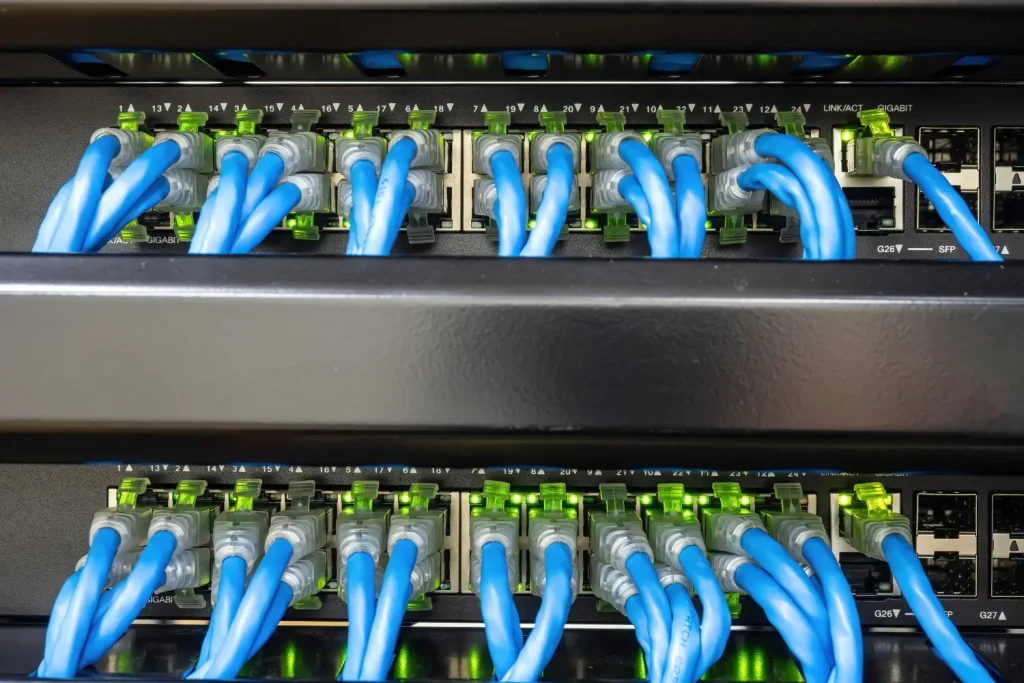
Web-Based Interface (GUI)

For those who did a little programming lesson, Cisco has a web-based GUI that makes switch management much easier. Setting up parameters is very simple, and a lot of time is saved. 

However, this GUI is graphical in nature, and it encompasses everything required to manage a switch, including connectivity and configuration parameters.

Curious Comparison of Similar Models: In this article, we will describe two switches that match the required profile and explain each in depth.
WS-C2960X-24PS-L Versus WS-C2960X-48LPS-L

Both devices belong to the Catalyst 2960-X range; however, the WS-C2960X-24PS-L has 24 ports, while the WS c2960x 48lps l has a total of 48 ports. The option you choose will depend on your need for port density.

WS-C2960X-48FPS-L Against WS C2960X 48LPS L

While it has 48 ports, just like its counterpart, the WS-C2960X-48FPS-L has special PoE functions intended for devices that require lots of power. So, if you need more power, you should choose the WS-C2960X-48FPS-L because it’s the best option in this category.

Summary

WS-C2960X-48LPS-L is an extremely reliable rigid switch built for high density environments. It’s a pretty smart switch since it has 48 Gigabit Ethernet ports, allows power over Ethernet (PoE), and is easy to use. It would work for both high-volume and low-volume networks. You can use this one-of-a-kind device to start from scratch or move from a different configuration. It has everything you need.


FAQ’s

Can I use this product at home?

A PoE system, though primarily designed for business use, can also be useful at home for linking up numerous devices.

How do I upgrade the firmware?

You need to get the latest version of the firmware from Cisco’s website and then follow their directions on how to install it before you can update it through the CLI or GUI.

What is the maximum number of ports?

This particular model has 48 Gigabit Ethernet ports.

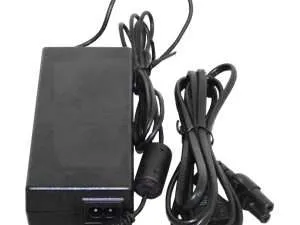
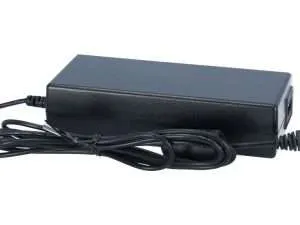
A best power adapter is essential for ensuring your networking devices run smoothly and efficiently. Finding the right PWR-ADPT can seem like a challenging task. But don’t worry!  Whether you’re replacing an old one or looking for an upgrade, a few quick tips can make your search easy and efficient.  Now, we will compile the key features and specifications you must look for when choosing the right power supplier.

Key Features of a PWR-ADPT

1. Voltage Compatibility

  • Designed to convert the input voltage to the correct level for your device.
  • Supports common voltages of 5V, 9V, 12V, and 24V.
  • Ensures the device receives the right power without damage.

2. Current Rating (Amps)

  • Delivers the current that your device needs to operate.
  • Available for power-hungry devices in several ratings, including 0.5A, 1A, 2A, and greater.
  • Protects your networking equipment from overheating and malfunction due to low current.

3. Connector Type

  • Barrel plug: Common in routers and modems.
  • USB: Ideal for smaller, portable devices.
  • PoE: Power over Ethernet sends data and power across one Ethernet cable.
  • Ensures the power adapter fits snugly into your device’s power port for reliable power delivery.

4. Regulated Power Output

  • Provides stable voltage regardless of fluctuations in input power.
  • Prevents potential damage to sensitive networking equipment.
  • Ideal for devices that require consistent, reliable power, like routers and switches.

5. Safety Features

  • Surge Protection: Guards against sudden voltage spikes, keeping your equipment safe.
  • Overcurrent Protection: Shut down the adapter if too much current flows, preventing overheating.
  • Short-Circuit Protection: Automatically turns off electricity in case of wiring failures, therefore guaranteeing human safety.

Specifications of a Power Adapter

1. Input Voltage Range

  1. Supports a broad range of input voltages (100-240V AC) to accommodate different power standards globally.
  2. Perfect for both home and international use without needing additional converters.

2. Output Voltage

  1. Typically offers fixed output voltages like 48V DC.
  2. Designed to meet the specific power requirements of your networking device.

3. Output Current

  1. Available with different current capacities, often ranging from 0.5A to 5A.
  2. Higher amperage adapters are suitable for devices that draw more power.

4. Connector Size

  1. Barrel connectors are the most common connectors for networking equipment, often with an outer diameter of 5.5 mm and an inner diameter of 2.1 mm.
  2. Ensure the connector fits your device perfectly to avoid power delivery issues.

5. Cable Length

  1. Offers various cable lengths, typically ranging from 1 meter to 3 meters.
  2. Longer cables provide flexibility for setting up your networking device far from the power source.

Where to Buy the Best PWR-ADPT

Authorized Retailers

Purchasing from approved stores guarantees an original item. They usually offer warranties and support, giving you peace of mind upon purchasing.

Online Marketplaces

Online markets provide a wide variety of choices and reasonable prices. Look for trustworthy suppliers with amazing ratings, like topparagonresource. Review the return policy if the adapter isn’t what you expected.

Physical Stores

Physical stores let you check the goods before making a purchase. Check the product quality and seek professional guidance. Prices might be higher, nevertheless, than those of online choices.

                                                  Common Mistakes to Avoid

Overlooking Compatibility

Always verify compatibility before making a PWR-ADPT transaction. Although most people agree that all adapters are similar, safe and efficient operation depends on compatibility.

Ignoring Power Requirements

Verify that the adapter meets your device’s power consumption. While an adapter with too much power can be dangerous and useless, using one with little power can lead to problems.

Skipping Warranty and Support

Don’t neglect the value of warranty and support. A good warranty offers resistance against flaws and problems. Support guarantees your ability to seek assistance should something go wrong.

How to Compare Different PWR-ADPTs

Reading Reviews and Ratings

Online ratings and reviews are very priceless. They offer actual comments from people who have used the product personally. Look for constant compliments and exercise caution around frequent complaints.

Checking Specifications

Examine the technical details of several adapters. Make sure they satisfy the device’s specifications regarding voltage, current, and plug type. Specifications help one clearly know what to expect from the adapter.

Comparing Prices

Although the least expensive choice is attractive, consider that price usually indicates quality. Compare costs across several stores and balance them against the adaptable’s durability and features.

Power Adapter FAQs

How is a power transformer compatible with my device?

Check the power supplier’s voltage, current, and connector type against your device’s requirements. Most devices have these specifications listed in the manual or on a label.

What is the ideal power capacity for a power transformer?

The ideal power capacity depends on your device’s needs. Refer to your device’s specifications to determine the required wattage. An adapter should match or exceed these requirements.

Are there any brands known for their reliability?

Yes, brands like Anker, Belkin, and Aukey are known for their reliability and quality in power adapters. Check reviews and ratings for additional recommendations.

How can I extend the lifespan of my power adopter?

Regular inspections, correct handling, and tool cleanliness can increase an adapter’s lifetime. Store it correctly when not in use and prevent overloading it.

What should I do if my PWR-ADPT stops working?

First, see whether the problem resides with the device or the adapter. If the adapter proves to be defective, find out whether it is still under warranty and seek manufacturer assistance or replacement.

Scroll to Top